

Serve a model
In the launch form, Deploy type: Model API starts an instance that runs vLLM instead of JupyterLab and gives you an OpenAI-compatible endpoint for it. You choose the model and its settings, nobody else shares the GPU, and the instance spends credits every hour it runs.
This is separate from Token Factory, where the platform hosts the models for free. Use a model service when you need a model Token Factory doesn’t offer, your own vLLM settings, or throughput you don’t share with anyone.
Launch from a public template
Section titled “Launch from a public template”Public templates come with a tested model, size and vLLM command.
- On Home, set Deploy type to Model API.
- Under Model, pick a public template, for example MiniCPM5-2B. The form shows the template’s Model source, Resource pool, vLLM Command and Size, and you can’t change them.
- Click Launch instance and follow the launch dialog. See Launch an instance.
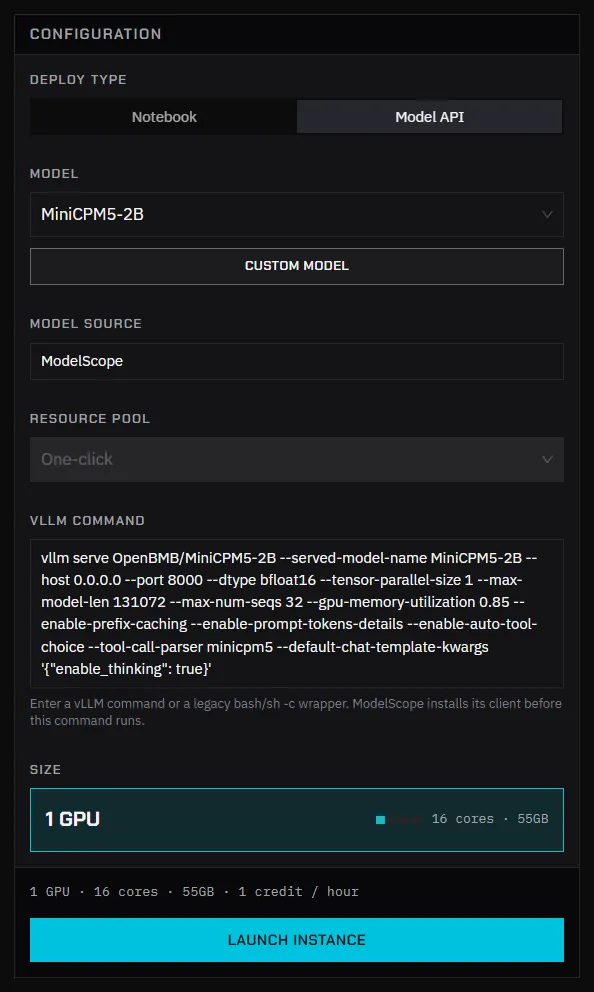
The templates available to you are listed in the Model field. If there are none, the form says so; use a custom model instead.
Launch a custom model
Section titled “Launch a custom model”-
On Home, set Deploy type to Model API and click Custom Model.
-
Fill in the form:
Field What to enter Model name The name clients send in the modelfield. It also appears in the API examples.Model source Where the weights come from: Hugging Face (mirror) or ModelScope. With ModelScope, the platform installs its client before your command runs. Resource pool The pool to run in. Most accounts have one. vLLM Command The command that starts the server. Size Pick a size whose GPU memory fits the model weights plus the KV cache. -
Click Launch instance.
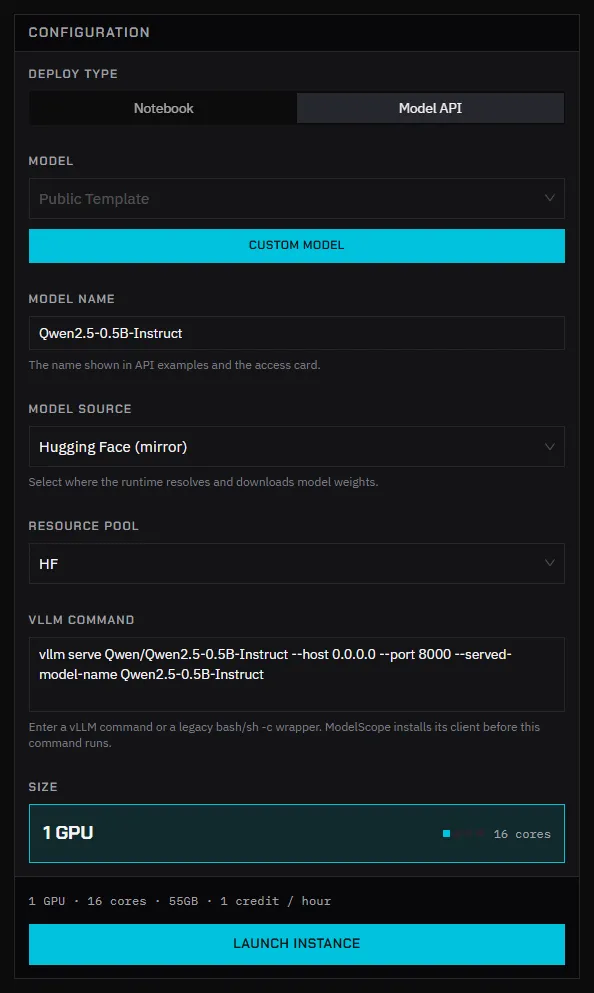
The form starts with an example for each source:
vllm serve Qwen/Qwen2.5-0.5B-Instruct --host 0.0.0.0 --port 8000 --served-model-name Qwen2.5-0.5B-InstructThe first launch of a model downloads its weights, so it takes longer than later launches.
Call the endpoint
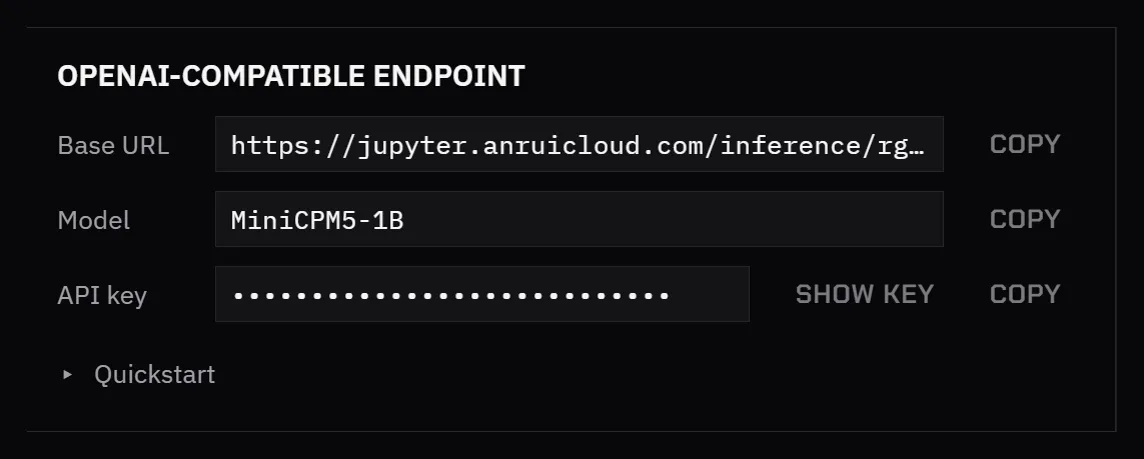
Section titled “Call the endpoint”When the instance is ready, the OpenAI-compatible endpoint card shows:
- Base URL: the endpoint of your instance.
- Model: the value for the
modelfield. - API key: the key for this endpoint. It starts with
sk-, is created for each launch, and isn’t your Token Factory API key. - Quickstart: a ready-to-run curl command.
curl <base-url>/chat/completions \ -H "Authorization: Bearer <api-key>" \ -H "Content-Type: application/json" \ -d '{"model":"Qwen2.5-0.5B-Instruct","messages":[{"role":"user","content":"Hello"}]}'Requests go straight to vLLM, so the endpoint exposes what vLLM exposes, such as /v1/completions and /v1/embeddings. Token Factory’s rate limits and request filtering don’t apply. See Model service endpoints.
Copy the Base URL and API key from the card after each launch rather than saving them in code.
Stop it
Section titled “Stop it”The endpoint works only while the instance runs. Destroy the instance when you’re done: on Home, click Destroy instance. See Destroy an instance.
If it doesn’t respond
Section titled “If it doesn’t respond”- Open View logs on the instance card. vLLM prints errors there, for example when the model doesn’t fit in GPU memory.
- Check that the command has
--host 0.0.0.0 --port 8000. - Check that the
modelfield matches Model name.
See Troubleshooting.